
Is it Still Worth? Behringer UMC22
A practical look at one of the most affordable USB audio interfaces for beginners, home recording and compact studio setups.
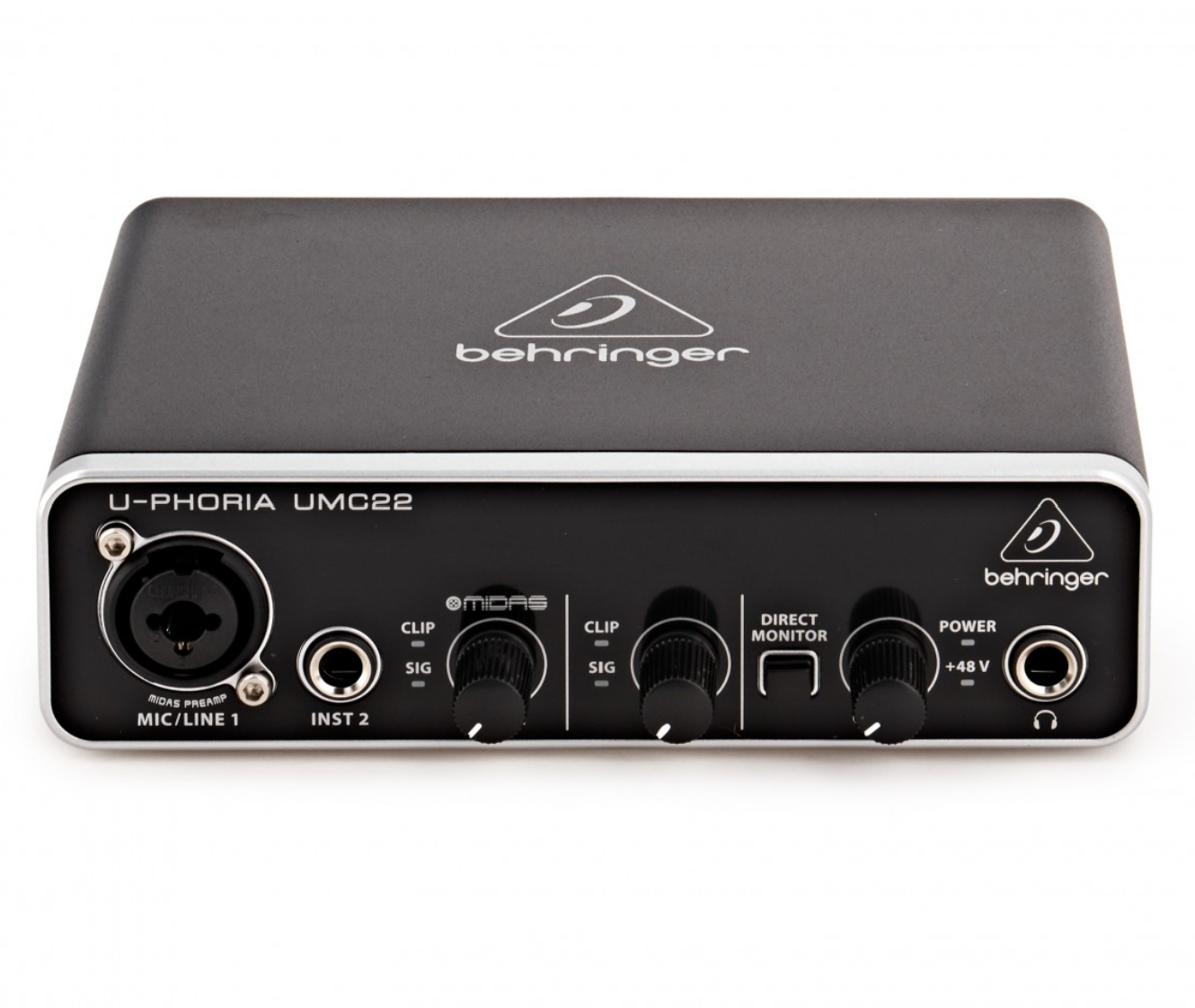
A simple interface that gets the basics right.
The Behringer UMC22 makes sense for beginners who want to connect a microphone or instrument to a computer without spending heavily on their first audio interface.
What is the Behringer UMC22?
The Behringer UMC22 is a compact USB audio interface designed to provide a simple connection between microphones, instruments and a computer.
For someone building a first home studio, the appeal is straightforward: it gives you physical microphone and instrument connections, headphone monitoring and direct monitoring in a small desktop-friendly unit.
It is not designed to compete with expensive studio interfaces. Instead, the UMC22 makes more sense when your priority is getting started without turning your desk into a complicated recording setup.
What you get
The UMC22 focuses on the essentials rather than unnecessary complexity.
Microphone Input
Connect a microphone through the combo input and use the interface as the front end for your recording setup.
Instrument Connection
The dedicated instrument input makes the interface useful for guitar, bass and other compatible instrument sources.
USB Recording
Connect the interface to your computer and use it with compatible recording software.
Headphone Monitoring
A dedicated headphone connection makes monitoring your recording setup much easier.
Small enough for a compact studio.
One of the UMC22’s biggest advantages is its size. It can sit beside a laptop, monitor or small desktop speaker setup without taking over the workspace.
That makes it particularly interesting for students, bedroom musicians, creators and anyone building a home studio around a limited desk.
The controls that matter
You don’t need an engineering degree to get started.
Gain
Adjust the input level so your microphone or instrument receives a healthy signal without excessive clipping.
Output Level
Use the main output control to adjust the level sent to your connected monitoring system.
Direct Monitor
Direct monitoring can help you hear the input signal without relying entirely on software monitoring.
Headphone Level
Control your headphone monitoring level separately when recording or checking a signal.
What about ASIO4ALL?
This is where things become more interesting for Windows-based home recording setups.
ASIO4ALL is a universal Windows ASIO driver that can be useful with compatible WDM audio devices and software configurations. Its official documentation explains how to select ASIO4ALL from compatible audio applications and adjust buffer settings. 1
Audio latency is the delay between an input being captured and the result being heard through your monitoring system. Lower latency is generally desirable when recording instruments or vocals.
ASIO-based workflows can provide a more appropriate low-latency path for compatible audio applications. The actual result still depends on the computer, interface, software and buffer configuration.
Buffer size controls how much audio data is processed at a time. Smaller buffers can reduce latency, but they can also increase the chance of clicks, pops or dropouts if the computer cannot keep up.
ASIO4ALL’s documentation specifically notes that smaller buffer sizes generally mean lower latency, while instability may require increasing the buffer. 2
Need ASIO4ALL?
Visit the official ASIO4ALL website for downloads, documentation and configuration information.
Is the UMC22 right for you?
What I like
- Compact and easy to fit on a small desk
- Straightforward controls for beginners
- Useful microphone and instrument connectivity
- Headphone monitoring is convenient
- Good entry point into computer recording
What to consider
- Not designed as a high-end multi-input interface
- Limited expansion compared with larger interfaces
- Beginners may need to learn basic driver and DAW configuration
- More demanding studio setups may outgrow it
Who should consider the UMC22?
Good choice if you…
- Are building your first home studio
- Record vocals or guitar
- Have limited desk space
- Want a simple USB interface
- Don’t need many simultaneous inputs
Look elsewhere if you…
- Need many microphone inputs
- Plan to record a full band simultaneously
- Need extensive routing or expansion
- Want premium monitoring features
Simple, affordable and easy to understand.
The Behringer UMC22 makes the most sense as a beginner-friendly interface for a compact home recording setup. It provides the basic connections needed to get a microphone or instrument into a computer without making the setup unnecessarily complicated.
If your needs eventually grow into multi-microphone recording, larger projects or more sophisticated routing, upgrading to a more capable interface will make sense. But for a first step, the UMC22 remains an interesting option to consider.
Start with the gear you actually need.
Explore more DeskStudioLab guides for audio gear, compact workspaces and home studio setups.
Behringer UMC22
The Behringer U-Phoria UMC22 is a compact 2-in/2-out USB audio interface designed for budget-conscious home studios, podcasters, and bedroom producers.