
Cable Routing and Management: A Simple Guide for a Cleaner Desk
A messy desk does not always come from having too much equipment. Sometimes, the real problem is simply poor cable routing. Power cables, USB cables, monitor cables and audio connections can quickly turn a clean workspace into a tangled mess.

Good cable management does not mean every cable needs to be perfectly hidden. The goal is to create a setup that is easy to use, easy to maintain and easy to troubleshoot.
Start by Identifying Your Cables
Before buying cable clips or sleeves, take a few minutes to identify what is actually connected to your desk.
Separate cables into a few basic groups:
- Power cables
- USB and computer cables
- Monitor cables
- Audio cables
- Network cables
- Charging cables
This makes routing much easier because you can decide which cables should follow the same path and which ones should remain separate.
Route Cables From the Source
One simple mistake is trying to organize cables based on where they happen to be lying.
Instead, start from the device or power source and work backwards.
For example, route your monitor cable from the monitor toward the back of the desk, then underneath the desk and finally toward the computer or dock.
This creates a more natural cable path and avoids unnecessary loops.
Before attaching anything permanently, test the cable route first. Move your chair, monitor and other equipment around to make sure the cables still have enough movement.
Use Simple Cable Management Accessories
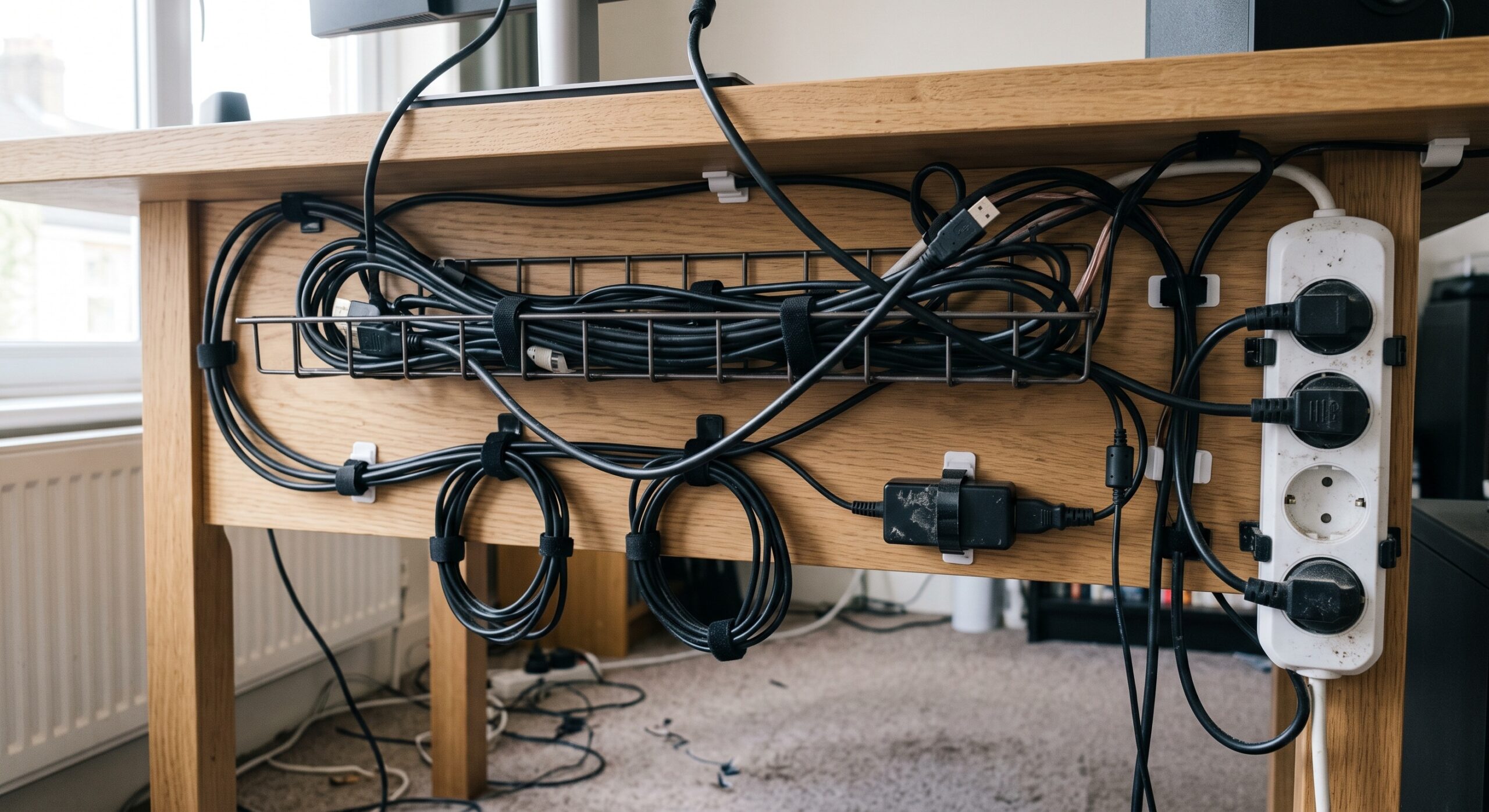
You do not need expensive accessories to get good results. A few simple tools can make a surprisingly big difference.
- Velcro cable ties
- Adhesive cable clips
- Under-desk cable trays
- Cable sleeves
- Reusable cable straps
- Small cable labels
Velcro ties are particularly useful because they allow you to reopen and change your setup later. Avoid permanently tying everything together if you regularly add or remove equipment.
Keep Some Cable Slack
One of the biggest mistakes in cable management is making everything too tight.
Leave a small amount of slack around devices that may need to be moved. This is especially useful for keyboards, headphones, microphones and audio interfaces.
A cable that is slightly loose but follows a sensible route is usually better than one that is stretched tightly across the desk.
Think About Future Upgrades
Your workspace will probably change over time. You might add another monitor, a USB hub, speakers or an audio interface.
Instead of routing every cable perfectly for today’s setup, leave a little room for future changes. A removable cable tray and reusable Velcro ties make this much easier.
Final Thoughts
Good cable routing and management is less about making your desk look perfect and more about making the setup easier to live with.
Keep cables grouped logically, route them along natural paths, use simple reusable accessories and leave enough slack for everyday movement.
A few minutes of planning can make a surprisingly big difference — your desk looks cleaner, equipment is easier to access, and troubleshooting becomes much less frustrating.
A tidy cable setup is not about hiding every cable. It is about knowing where every cable goes.